Example: Splitting Files by pages using PagedSplitter¶
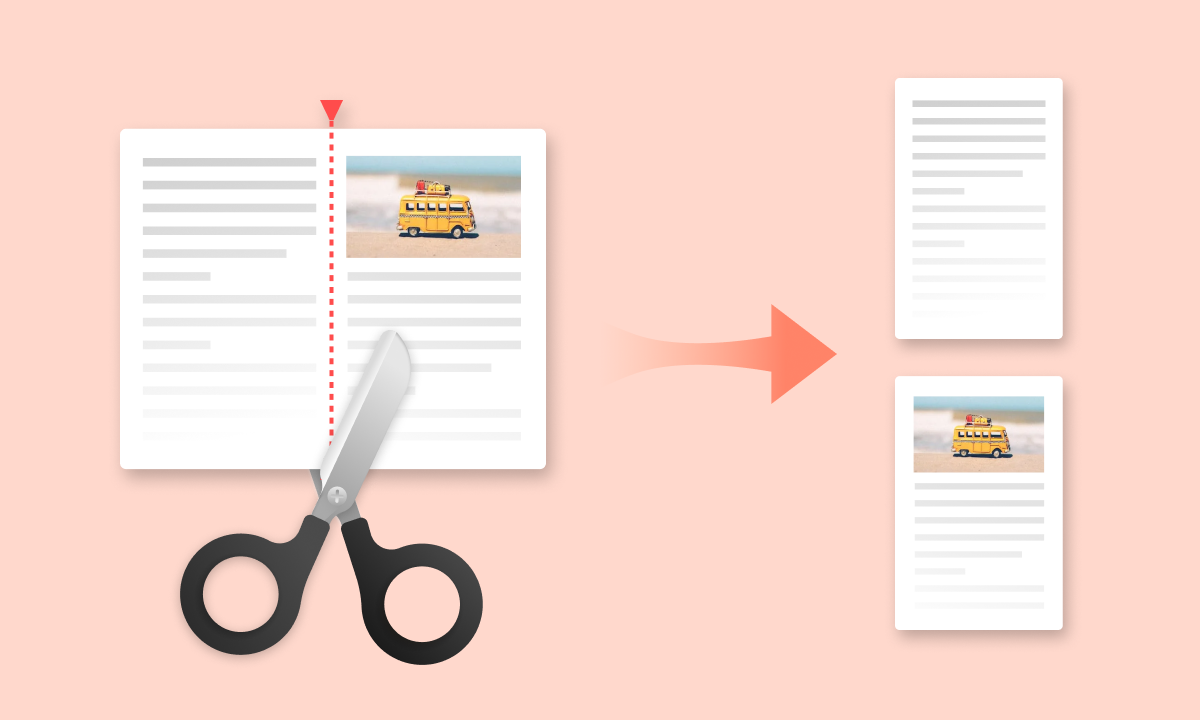
For some documents, one of the best splitting strategies can be divide them by pages. To do so, you can use the PagedSplitter.
For this example, we will read the file using `VanillaReader. The file can be found on the GitHub repository, and it consists of a scientific paper (Attention is All You Need) with 15 pages. Let's see how to split it.
Step 1. Read the file¶
You can read the file using VanillaReader or DoclingReader. In case that you use MarkItDownReader, you should pass the parameter split_by_pages = True, since MarkItDown by default does not provide any placeholder to split by pages.
# Deactivate logging

import warnings
import logging

warnings.filterwarnings("ignore", message=".*pin_memory.*MPS.*")

logging.getLogger("httpx").setLevel(logging.WARNING)
logging.getLogger("openai").setLevel(logging.WARNING)
logger = logging.getLogger("docling")
logger.propagate = False
logger.handlers = []
Show Python examples for all Readers
from splitter_mr.reader import VanillaReader

FILE_PATH = "data/attention.pdf"

reader = VanillaReader()
reader_output = reader.read(file_path=FILE_PATH)
from splitter_mr.reader import DoclingReader

FILE_PATH = "data/attention.pdf"

reader = DoclingReader()
reader_output = reader.read(file_path=FILE_PATH)
from splitter_mr.reader import MarkItDownReader

FILE_PATH = "data/attention.pdf"

reader = MarkItDownReader()
reader_output = reader.read(file_path=FILE_PATH, split_by_pages=True)
from splitter_mr.model import AzureOpenAIVisionModel
from splitter_mr.reader import DoclingReader

from dotenv import load_dotenv

load_dotenv(
    dotenv_path="/Users/aherencia/Documents/Projects/Splitter_MR/notebooks/docs/examples/text/.env"
)

FILE_PATH = "https://raw.githubusercontent.com/andreshere00/Splitter_MR/refs/heads/main/data/attention.pdf"

model = AzureOpenAIVisionModel()

reader = DoclingReader(model=model)
reader_output = reader.read(file_path=FILE_PATH)
print(reader_output)
text='Provided proper attribution is provided, Google hereby grants permission to reproduce the tables and figures in this paper solely for use in journalistic or scholarly works.\n\n## Attention Is All You Need\n\nAshish Vaswani ∗ Google Brain avaswani@google.com\n\nNoam Shazeer ∗ Google Brain noam@google.com\n\nLlion Jones ∗ Google Research llion@google.com\n\nNiki Parmar ∗ Google Research nikip@google.com\n\nAidan N. Gomez ∗ † University of Toronto aidan@cs.toronto.edu\n\nJakob Uszkoreit ∗ Go
...
 A network graph illustrating the connections between words in two different color-coded groups, highlighting their relationships and patterns.' document_name='attention.pdf' document_path='https://raw.githubusercontent.com/andreshere00/Splitter_MR/refs/heads/main/data/attention.pdf' document_id='ce224089-78b8-4af9-bfff-c187649d11e9' conversion_method='markdown' reader_method='docling' ocr_method='es-BPE_GENAI_CLASSIFIER_AGENT-llm-lab-class-4_1-nano' page_placeholder='<!-- page -->' metadata={}
Note
The use of any vision model is optional, but it improves the extraction performance. See an example of how to use a VisionModel to analyze or extract text from graphic resources or refer to the VisionModel documentation.
As you can see, the ReaderOutput object has an attribute named page_placeholder which allows to identify every page.
Split by pages¶
So, we can simply instantiate the PageSplitter object and use the split method to get the chunks page-by-page:
from splitter_mr.splitter import PagedSplitter
from splitter_mr.splitter import KeywordSplitter

splitter = KeywordSplitter(
    patterns=["attention"]
)  # splitter = KeywordSplitter(patterns={"attention": r"attention"})  # NOSONAR (S125)
splitter_output = splitter.split(reader_output=reader_output)

splitter = PagedSplitter()
splitter_output = splitter.split(reader_output=reader_output)

for idx, chunk in enumerate(splitter_output.chunks):
    print("\n" + "*" * 80 + f" Chunk {idx} " + "*" * 80 + "\n")
    print(chunk)
******************************************************************************** Chunk 0 ********************************************************************************

Provided proper attribution is provided, Google hereby grants permission to reproduce the tables and figures in this paper solely for use in journalistic or scholarly works.

## Attention Is All You Need

Ashish Vaswani ∗ Google Brain avaswani@google.com

Noam Shazeer ∗ Google Brain noam@google.com

Llion Jones ∗ Google Resear
...
***************************************

Input-Input Layer5

Figure 5: Many of the attention heads exhibit behaviour that seems related to the structure of the sentence. We give two such examples above, from two different heads from the encoder self-attention at layer 5 of 6. The heads clearly learned to perform different tasks.

<!-- image -->
*Caption: A network graph illustrating the connections between words in two different color-coded groups, highlighting their relationships and patterns.
Indeed, we have obtained a list of chunks with the extracted content, one per page.
Experimenting with custom parameteres¶
In case that we want to split by group of many pages (e.g., 3), we can specify that value on the PageSplitter object. In addition, we can define an overlap between characters:
splitter = PagedSplitter(chunk_size=3, chunk_overlap=100)
splitter_output = splitter.split(reader_output=reader_output)

for idx, chunk in enumerate(splitter_output.chunks):
    print("\n" + "*" * 80 + f" Chunk {idx} " + "*" * 80 + "\n")
    print(chunk)
******************************************************************************** Chunk 0 ********************************************************************************

Provided proper attribution is provided, Google hereby grants permission to reproduce the tables and figures in this paper solely for use in journalistic or scholarly works.

## Attention Is All You Need

Ashish Vaswani ∗ Google Brain avaswani@google.com

Noam Shazeer ∗ Google Brain noam@google.com

Llion Jones ∗ Google Resear
...
ences and importance of specific words.*
Input-Input Layer5

Figure 5: Many of the attention heads exhibit behaviour that seems related to the structure of the sentence. We give two such examples above, from two different heads from the encoder self-attention at layer 5 of 6. The heads clearly learned to perform different tasks.

<!-- image -->
*Caption: A network graph illustrating the connections between words in two different color-coded groups, highlighting their relationships and patterns.
And that's it! Try to experiment which values are the best option for your use case. A full reference to this class is available on the API Reference.
Thank you for reading! :)
Complete script¶
from splitter_mr.reader import DoclingReader #, VanillaReader, MarkItDownReader
from splitter_mr.model import AzureOpenAIVisionModel
from splitter_mr.splitter import PagedSplitter
from dotenv import load_dotenv

load_dotenv()

FILE_PATH = "https://raw.githubusercontent.com/andreshere00/Splitter_MR/refs/heads/main/data/attention.pdf"

model = AzureOpenAIVisionModel()
reader = DoclingReader(model = model)
reader_output = reader.read(file_path=FILE_PATH)

print(reader_output.model_dump_json(indent=4))

splitter = PagedSplitter()
splitter_output = splitter.split(reader_output=reader_output)

for idx, chunk in enumerate(splitter_output.chunks):
    print("\n" + "*"*80 + f" Chunk {idx} " + "*"*80 + "\n")
    print(chunk)

splitter = PagedSplitter(chunk_size=3, chunk_overlap = 100)
splitter_output = splitter.split(reader_output=reader_output)

for idx, chunk in enumerate(splitter_output.chunks):
    print("\n" + "*"*80 + f" Chunk {idx} " + "*"*80 + "\n")
    print(chunk)